For the best website builder in Canada, match the platform to the job: Webflow or Framer for a design-led site a professional maintains, Squarespace, Wix, Hostinger or GoDaddy for a brochure site you edit yourself, WordPress.com for content-heavy publishing, and Shopify for a store. The cheapest monthly plan is rarely the cheapest site over three years.
Picking a website builder looks like a pricing decision. It is really a decision about who will edit the site, what the site has to do, and what it will cost to leave. Get those three wrong and a plan that looked cheap in month one becomes a rebuild in year three.
The question for most Canadian firms is no longer whether to have a site. In a September 2025 survey of 2,478 independent business owners by CFIB, 78% reported having a company website, and nine in ten used at least one digital channel. The choice now is which platform, and whether to run it yourself or hand it to a designer.
We design and build on Webflow, WordPress and Shopify from Saint John, and we chose Webflow for our own site. This roundup sorts eight builders by the job they do, labels every price with its currency and billing cycle, and adds what most lists skip: three-year cost, English and French handling, and what you can take with you if you leave.
We sorted these builders by the job they do, not by a single score. The numbers in the headings are for reference only, because each pick suits one kind of site and fails another.
The four jobs, and the builders in each:
We judged each one on five criteria:
Prices come from each vendor's own pricing page as we checked it, with currency and billing cycle labelled. Promotions change often, so confirm the total at checkout.
What it is: A visual builder and CMS that gives designers free layout control, with hosting and SSL managed by Webflow. It sits in our design-led group with Framer.
Best for: Professional service firms and growing companies that want a custom design built by a professional, then updated by staff through the CMS.
Price: Webflow's pricing page lists its plans in US dollars. Basic is US$14 a month billed yearly or US$18 billed monthly, CMS is US$23 or US$29, and Business is US$39 or US$49. Confirm whether you will be billed in CAD before you budget.
Strength: Real layout freedom with fine control over URL slugs, 301 redirects, meta titles and descriptions, plus custom code for schema markup. It is the platform we chose for our own site, and we explain why further down.
Limitation: A non-designer with full design access can break a layout in a few clicks. Give staff CMS editing rights and keep structural changes with whoever owns the design system.
What it is: The hosted, managed version of WordPress, where WordPress.com runs the servers, SSL and core updates. Self-hosted WordPress is a different product: you choose a host, pay for it separately, and own patching and maintenance yourself.
Best for: Content-heavy sites, blogs and resource libraries where publishing volume is the main job.
Price: WordPress.com lists the Personal plan at US$9 per month billed monthly, US$4 per month billed every 12 months, or US$2.75 per month billed every 36 months, excluding taxes. Prices are shown in US dollars, not CAD, and the plan includes a free domain for one year.
Strength: A mature publishing workflow with unlimited pages, posts and users on the Personal plan, and a standard WordPress export if you later move to a self-hosted install.
Limitation: The block editor lets authors restyle pages freely, so a busy content team drifts off-brand unless someone locks down patterns. Free sites also display WordPress.com ads to visitors.
What it is: An all-in-one builder built around polished templates, with hosting, SSL and a store included.
Best for: Owners who will edit their own brochure site and want it to look finished on day one.
Price: Squarespace shows prices in Canadian dollars: the Basic plan is CA$21 per month paid annually, or CA$30 per month paid monthly. Annual plans include one year of free domain registration, after which the domain renews at the standard rate plus applicable taxes.
Strength: Good-looking defaults and an editor that non-designers can manage without wrecking spacing or type.
Limitation: Template structure limits what you can do with layout. Basic also adds a 2% transaction fee on online store sales, on top of card rates from 2.9% + CA$0.30 through Squarespace Payments, and allows up to two contributors.
What it is: A drag-and-drop builder with thousands of templates, managed hosting, a free plan and an app marketplace for add-on features.
Best for: Owners who want to place every element themselves and add booking, payments or scheduling as they grow.
Price: Wix lists Light at $17.77 per month and Core, the first plan with payments, at $29.77 per month, both for yearly subscriptions paid in full upfront. The page labels prices as including GST but also says prices and currency vary by location and USD prices are shown for reference, so confirm the CAD total at checkout.
Strength: An editor that non-designers pick up without training, and every paid plan includes a free domain for the first year.
Limitation: Free-form placement lets editors put anything anywhere. Without someone who owns the layout, that freedom tends to produce inconsistent spacing on mobile and heavy pages that drag on Core Web Vitals.
What it is: A hosted commerce platform with storefront, checkout, inventory, payments and in-person sales in one account.
Best for: Canadian firms whose site exists mainly to sell products, online, in store or both.
Price: Shopify lists Basic at $37 per month and Grow at $99 per month on its Canadian pricing page, with a pay-yearly option shown, and card rates on Basic from 2.8% + 30¢ CAD. New stores can try it for 3 days free, then $1 per month for 3 months.
Strength: Store operations are the core product, from inventory to point of sale. It is one of the three platforms we design and build on, and we cover the trade-offs in is Shopify worth it.
Limitation: Content pages and blog templates are basic, so a content-heavy marketing site on Shopify needs theme work. Apps that fill feature gaps usually carry their own monthly fees.
What it is: A design-first builder for marketing sites, with hosting, a CMS and built-in SEO settings.
Best for: Startups and studios that want a polished marketing site live on a short build cycle.
Price: Framer lists Basic at $10 per month and Pro at $30 per month on yearly billing, with additional editors at $20 per month. The page does not label these prices as CAD.
Strength: Design and the live site happen in one tool, and paid plans include a free custom domain on yearly billing.
Limitation: Basic caps you at 30 pages and 2 CMS collections, and site redirects are listed among the Pro features. If you are replacing an older site whose URLs already rank, budget for Pro so you can keep those URLs alive. Localization is an add-on rather than part of the base plan.
What it is: A website builder bundled with Hostinger's web hosting, email mailboxes and a first-year domain.
Best for: Simple brochure sites, portfolios and side projects on a tight budget.
Price: Hostinger shows prices in Canadian dollars: Premium is CAN$3.49 per month when you prepay CAN$167.52 for 48 months (regular price CAN$805.92), and it renews at CAN$15.39 per month. Promotional pricing changes often, so confirm the term and renewal rate at checkout.
Strength: A custom domain and two mailboxes per website are free for the first year, and Premium covers up to three websites.
Limitation: The renewal rate is more than four times the promotional monthly rate, and ecommerce is listed on the Unlimited plan rather than Premium. Ask how your content exports before you commit to a four-year term.
What it is: An AI-driven builder that turns prompts into pages, starter copy, images and simple web apps, deployed on GoDaddy hosting with SSL, forms and analytics included.
Best for: Owners who already hold a domain at GoDaddy and want a first live page quickly.
Price: GoDaddy lets you start free with 50 AI credits a month and no credit card. Paid plan prices were not shown on the page we checked, so treat them as pricing on request and confirm the billing currency before you upgrade.
Strength: Prompt-to-site generation gets a first draft up without a blank canvas, and the page says you can export your code anytime.
Limitation: AI-generated layouts and starter copy need a careful human edit before they read as your brand. Exported code also still needs a host and someone to patch and maintain it.
The table below lines up each builder's job, entry paid plan and whether the pricing page showed Canadian dollars. Read the currency column before comparing figures, because the pages do not all bill the same way.
| Builder | Best for | Entry paid plan (currency, billing) | CAD price shown | Standout |
|---|---|---|---|---|
| Webflow | Design-led sites a professional maintains | Basic, US$14/month billed yearly | No, US dollars | Layout freedom with SEO control |
| WordPress.com | Content-heavy sites and blogs | Personal, US$4/month billed every 12 months | No, US dollars | Publishing workflow |
| Squarespace | Brochure sites you edit yourself | Basic, CA$21/month billed annually | Yes | Polished templates |
| Wix | Drag-and-drop brochure sites | Light, $17.77/month, yearly, paid upfront | Varies by location | Free-form editor |
| Shopify | Online stores | Basic, $37/month, pay-yearly option shown | Card rates in CAD | Commerce and point of sale in one |
| Framer | Design-led marketing sites | Basic, $10/month, yearly billing | Not labelled | Design and live site in one tool |
| Hostinger | Low-budget simple sites | Premium, CAN$3.49/month on a 48-month prepay | Yes | Hosting, domain and mail bundled |
| GoDaddy | A quick AI-built first site | Free with 50 AI credits a month; paid pricing on request | Not shown | Prompt-to-site with code export |
The cheapest builder over three years is the one whose full term, renewal rate and fees fit your site, which is rarely the plan with the smallest monthly number. Multiply the plan by 36 months, then add what the entry plan leaves out.
| Builder and plan | Billing used | Plan cost over three years (currency as listed) | What to watch |
|---|---|---|---|
| WordPress.com Personal | Billed every 36 months | US$99 upfront, excluding taxes | Billed in US dollars; renewal rate not shown |
| Hostinger Premium | 48-month prepay | CAN$167.52 upfront covers four years | Renews at CAN$15.39/month; ecommerce on a higher plan |
| Framer Basic | Yearly | $360, currency not labelled | Redirects listed under Pro; 30-page cap |
| Webflow Basic | Yearly | US$504 | Billed in US dollars; CMS and Business plans cost more |
| Wix Light | Yearly, paid upfront | $639.72, currency set by location | No payments until Core |
| Squarespace Basic | Annual | CA$756 | 2% fee on online store sales |
| Shopify Basic | Pay-yearly option | $1,332 plus card rates | Card fees on every sale; paid apps |
Totals multiply each listed rate by 36 and assume the rate holds after the first term. Of the figures here, only Hostinger's includes a plan renewal rate. GoDaddy is left out because its page showed no paid plan price.
A low-cost plan is a sound choice for a one-page site, a portfolio, an event page or a test of a new idea. It stops being cheap when the site has to rank, carry two languages or take payments, because each of those pushes you up a plan or into a rebuild.
Webflow, Wix and Shopify have built-in language features that can give French pages their own URLs, and Framer lists localization as an add-on. WordPress.com needs a multilingual plugin, and Squarespace, Hostinger and GoDaddy need a closer look before you trust them with a French-language site.
| Builder | How French pages are handled | What to verify |
|---|---|---|
| Webflow | Built-in localization feature | Plan and locale costs, hreflang settings |
| Framer | Localization add-on on the pricing page | Add-on cost, translated slugs |
| Wix | Built-in multilingual feature | Translated URLs and hreflang output |
| Shopify | Built-in languages with a translation app | Translated slugs and checkout language |
| WordPress.com | Multilingual plugin | A plan that allows plugins |
| Squarespace | Duplicate pages or a third-party translation service | Whether hreflang is generated at all |
| Hostinger | Check current help documentation | URL structure and hreflang |
| GoDaddy | Check current help documentation | URL structure and hreflang |
Features in this area change, so confirm each point in the vendor's current help documentation before you buy. We built a bilingual English and French site on Webflow for Gandy & Associates, a Saint John law firm.
Whatever the platform, decide the URL structure and who writes the French before design starts. Adding a second language to a finished site touches every page, every menu and every form.

Skip the do-it-yourself route when the site has to win work, rank in search or serve two languages, and nobody on your team owns it. At that point, the question shifts from which builder to who designs and maintains the site.
Five signs you have reached that point:
If several of these apply, read is it worth hiring a web designer for the full trade-off, or see what our web design service covers.
Meet Chaudhari, our partner and visual designer, designs and builds client sites on Webflow, WordPress and Shopify. We choose per project: WordPress when publishing and plugins drive the brief, Shopify when the site is a store, and Webflow when the brief calls for a custom design that staff can edit safely.
For our own site we chose Webflow, and we lay out the reasoning in why we chose Webflow over WordPress. From a designer's chair, it lets us build the layout we want without a plugin stack, lets the team publish through the CMS without touching the design, and leaves hosting and SSL to the platform. Saint John voters named us Platinum for Web Design in Community Votes Saint John in 2023 and 2024.
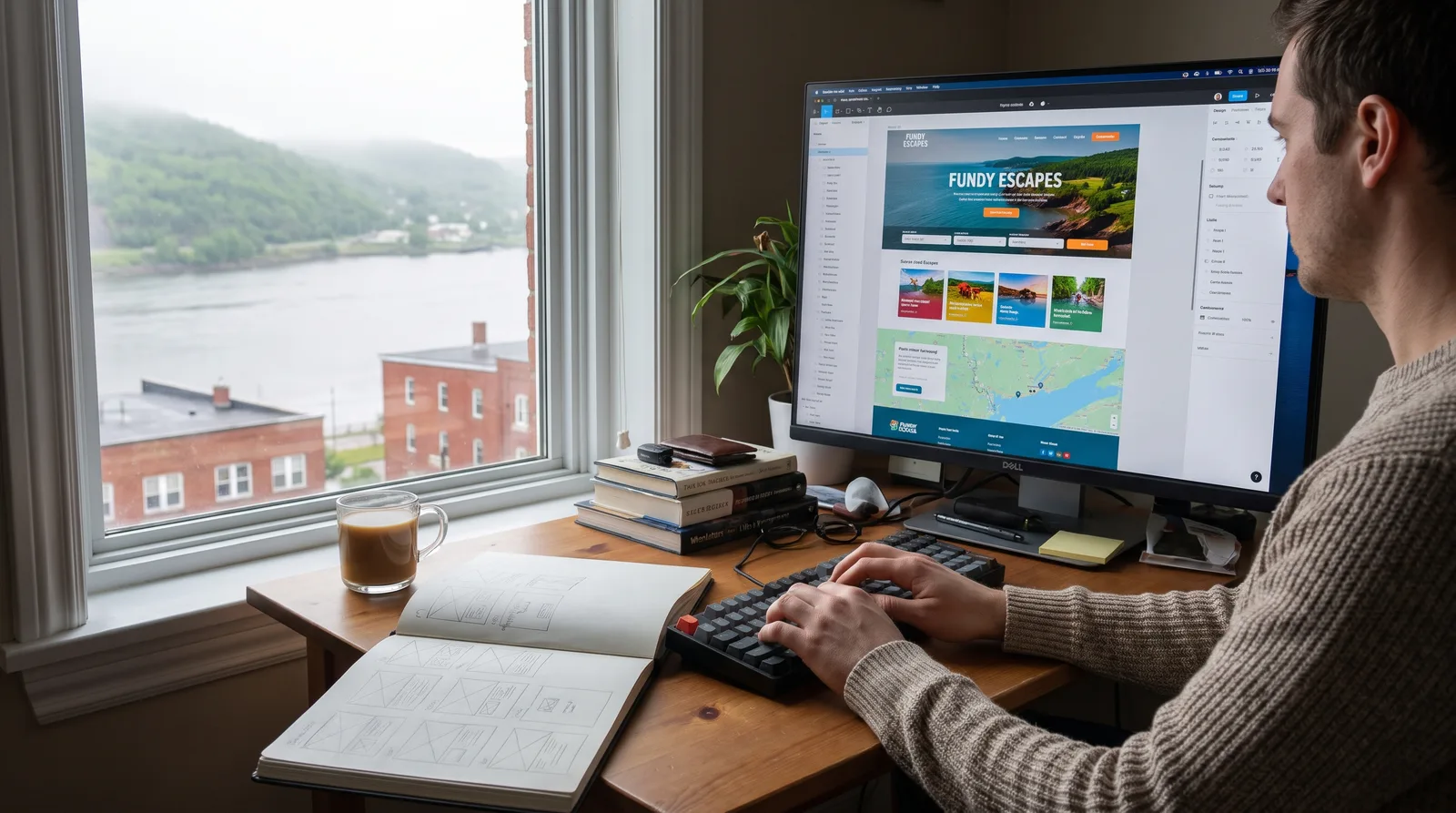
Start from the job the site has to do, then check price, currency and French handling. Here is the pick for each job.
Pick the builder for the job the site has to do. Design-led sites that a professional maintains fit Webflow or Framer, do-it-yourself brochure sites fit Squarespace, Wix, Hostinger or GoDaddy, content-heavy publishing fits WordPress.com, and stores fit Shopify.
Then do the checks most roundups skip. Price the plan over three years, including renewal, the domain after its free year and any sales fees. Confirm whether you are billed in CAD. Test French URLs and hreflang before you commit, and know what you can export if you leave.
If you want a second opinion on the platform, or you would rather have the site designed and maintained for you, book a free consultation with our team in Saint John.