Modern law firms across Canada and the United States are under growing pressure to handle more clients, manage complex documentation, and maintain compliance, all without adding administrative overhead. The demand for a reliable, easy-to-use legal case management solution is stronger than ever.
At DigiBenders, we design and develop custom case management automation platforms that streamline intake, documentation, e-signature, and reporting for law firms and legal professionals. Our focus is on clean, intuitive UI, seamless workflows, and secure data handling, built around the real needs of lawyers, partners, and firm managers across North America.
Many small to mid-sized law firms still rely on spreadsheets, email threads, and disconnected systems. This slows down client intake, increases the risk of lost files, and makes it difficult to track ongoing cases.
A modern legal case management system solves these challenges by centralizing every aspect of the client journey, from the first contact form to document signing and case analytics.
With automation, firms can:
These improvements don’t just save time, they elevate client experience, compliance, and operational consistency across the firm.
Our design philosophy follows one simple rule: software should be as clear and calm as a well-organized legal desk. The platform interface is built around readability, trust, and focus, with generous white space, soft shadows, and subtle professional tones. To see which design elements and website features help law firms convert more clients, read our blog on Must-Have Features to Maximize Conversions for Law Firm Websites.
Each module is designed for a specific purpose:
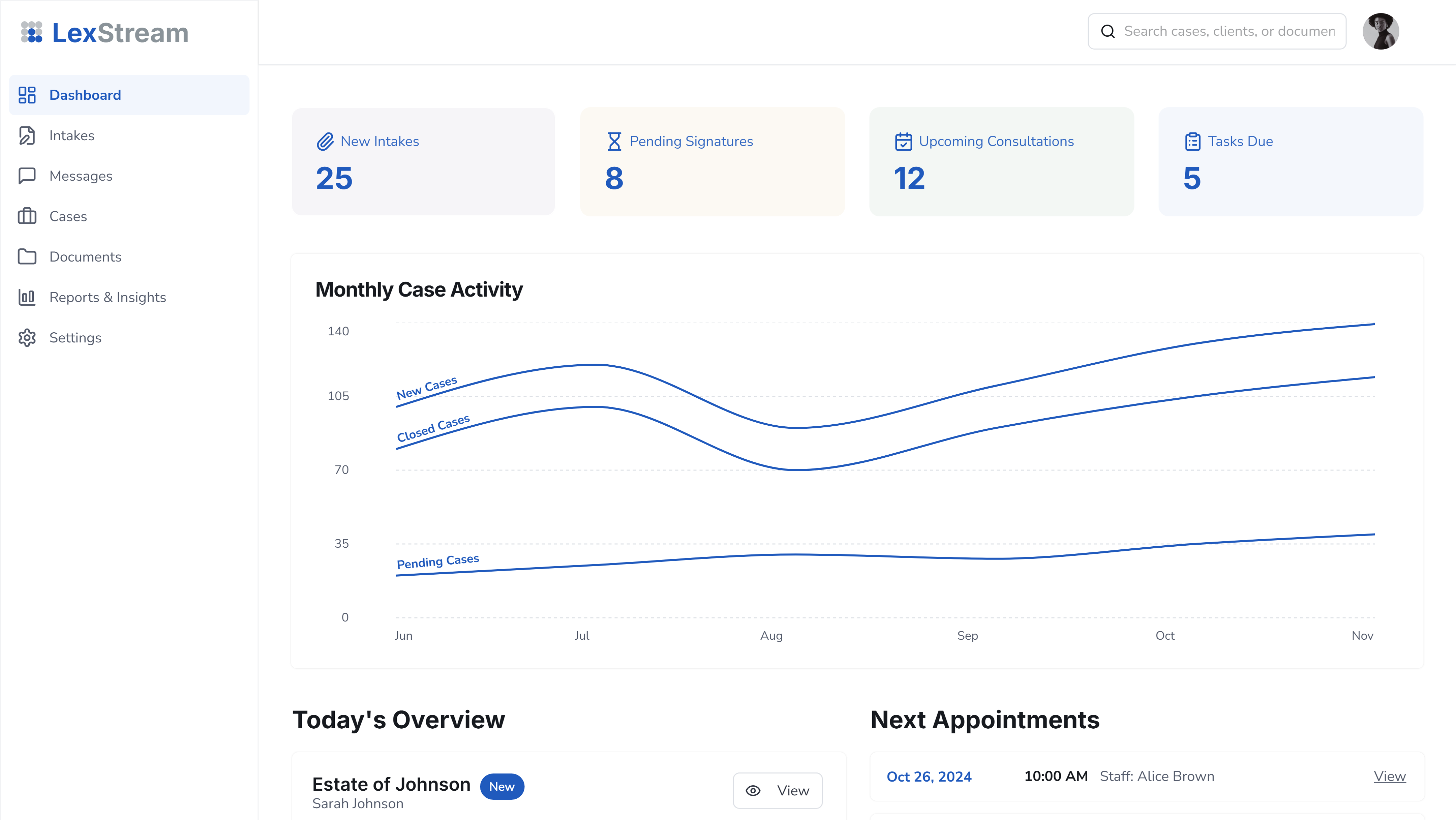
Dashboard: The Dashboard serves as the control center for the entire platform, giving partners, associates, and staff instant visibility into firm operations.
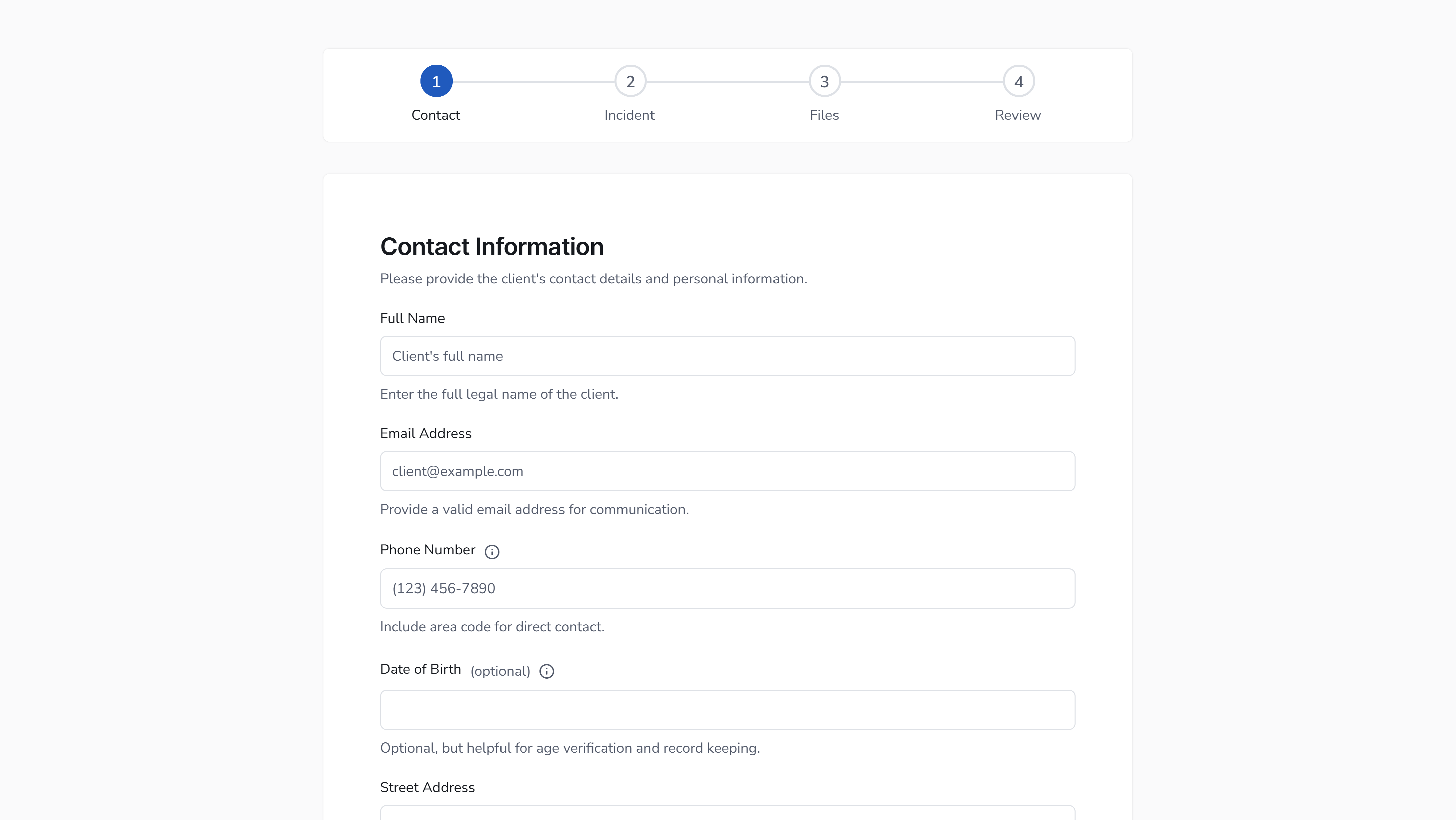
Client Intake Form: A guided, step-by-step process for collecting client details and case information. Smart progress indicators, autosave, and contextual help ensure forms are completed accurately without overwhelming the user. Client Intake Form transforms the first point of contact into a smooth, guided digital experience.
Case Detail View: Every case record brings together client data, assigned counsel, documents, communication logs, and key dates. Clean tabs and information cards make it effortless to review a case or prepare for a hearing.

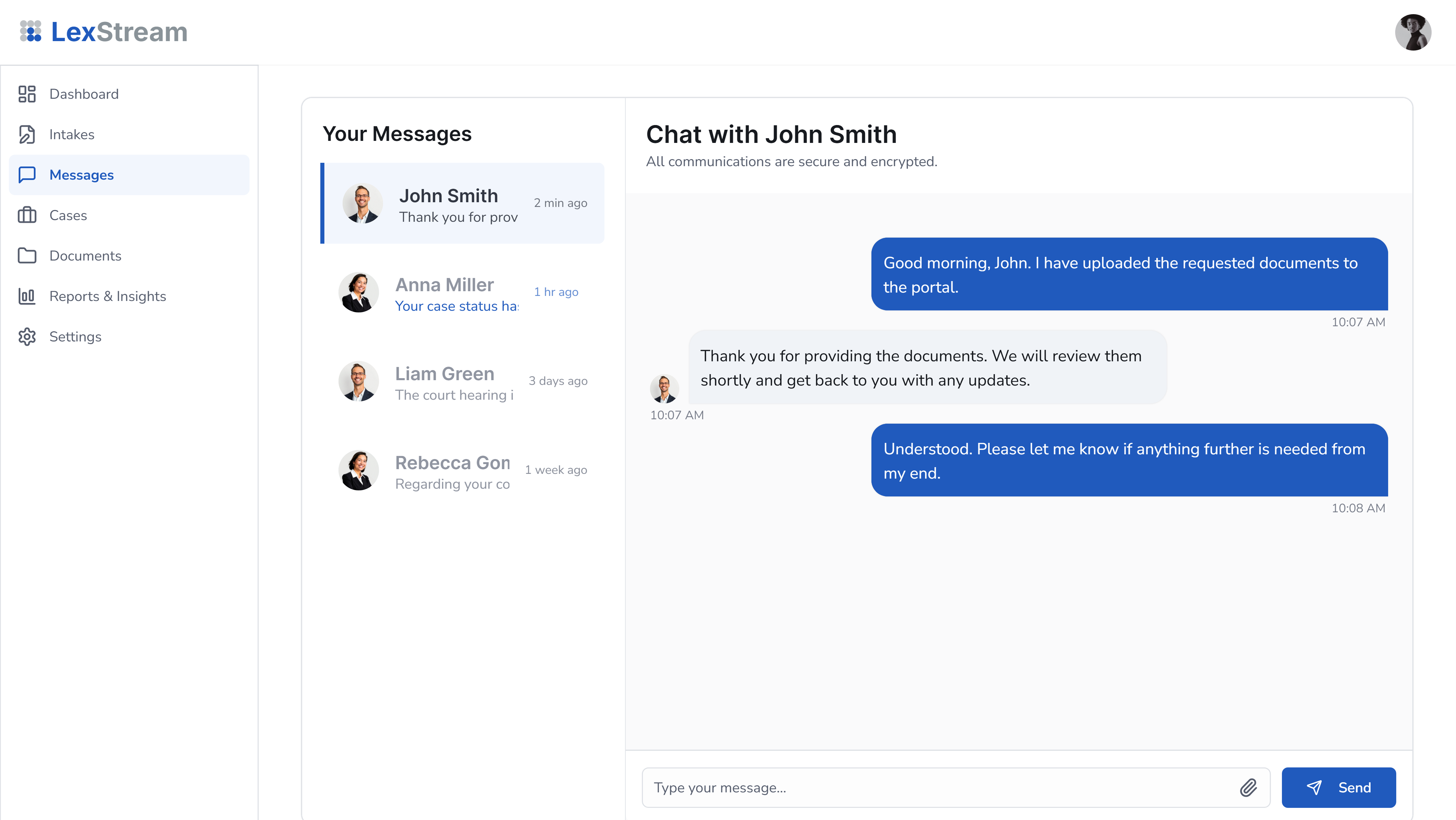
Client Portal Messages: The Client Portal Messages feature replaces scattered communication across email, text, and phone with a single, secure conversation thread.
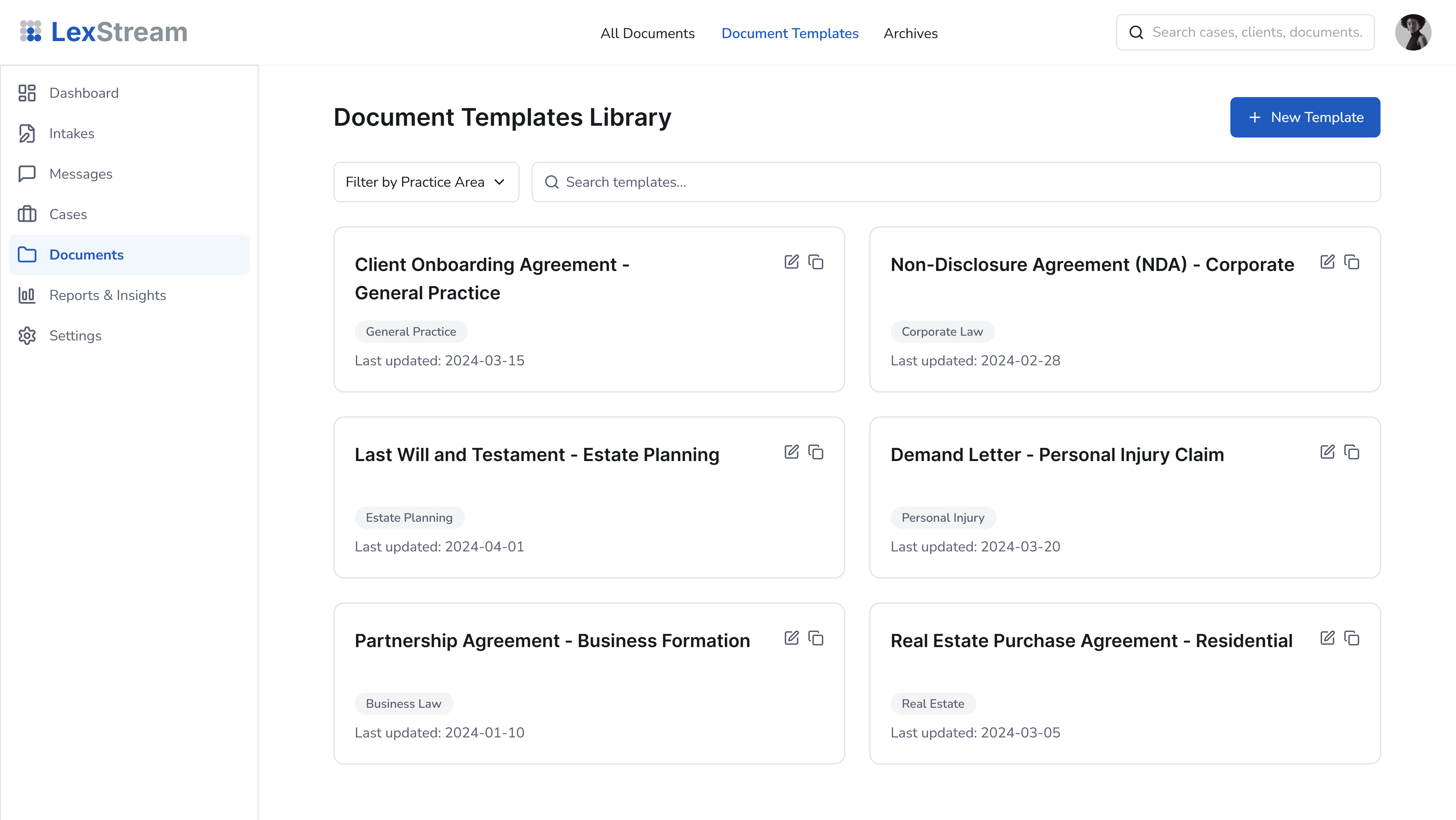
Document Templates Library: The Document Templates Library is where legal productivity meets automation. Instead of drafting routine paperwork from scratch, lawyers can access reusable templates such as retainer agreements, NDAs, affidavits, and settlement letters, all organized by practice area.
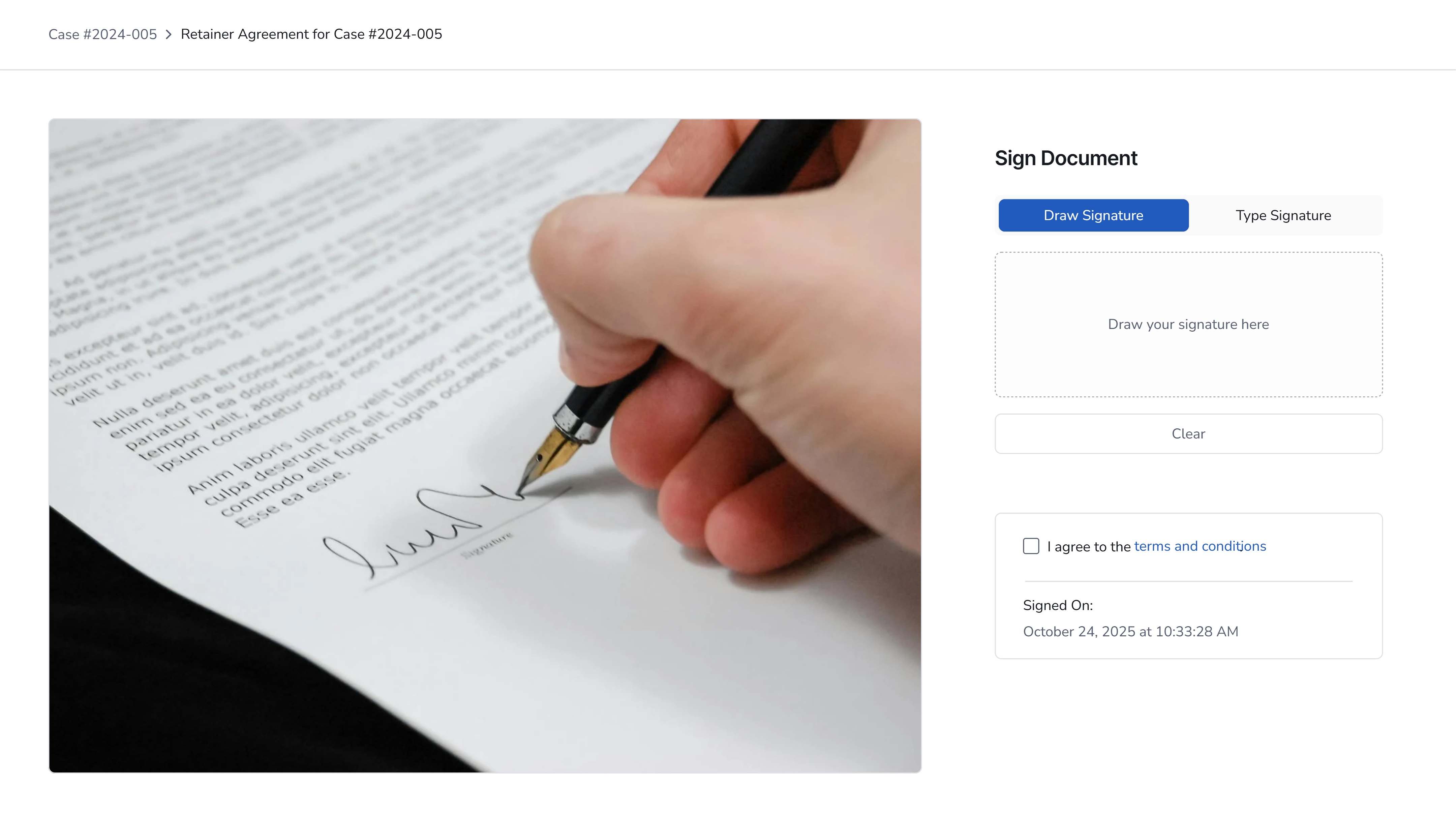
E-Signature Page: A simple, trustworthy signing experience with clear consent checkboxes, timestamping, and compliance badges (PIPEDA-ready).
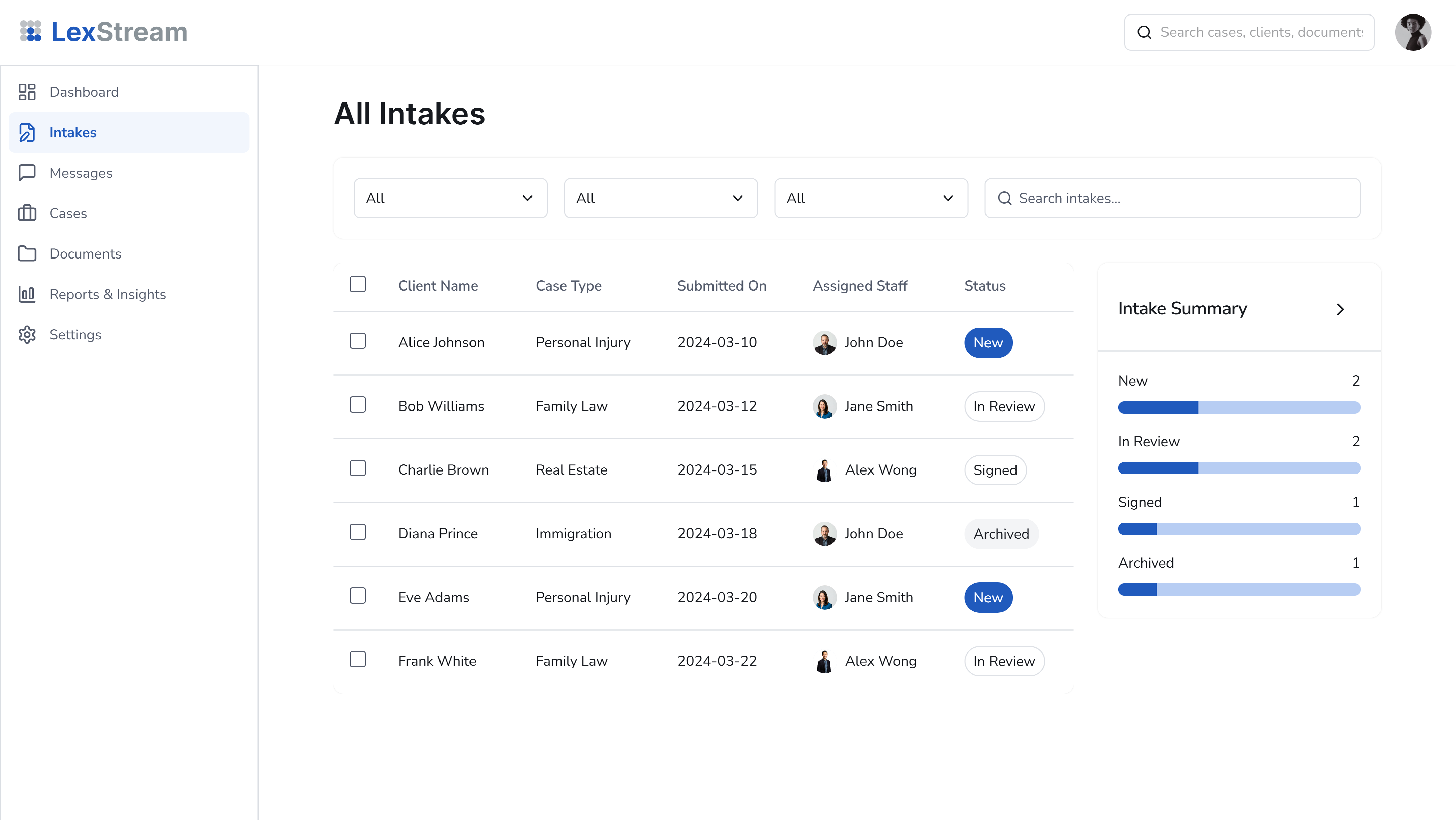
Intake List View:Sortable and filterable tables let administrators track every open or completed intake, assign cases to staff, and view quick stats.
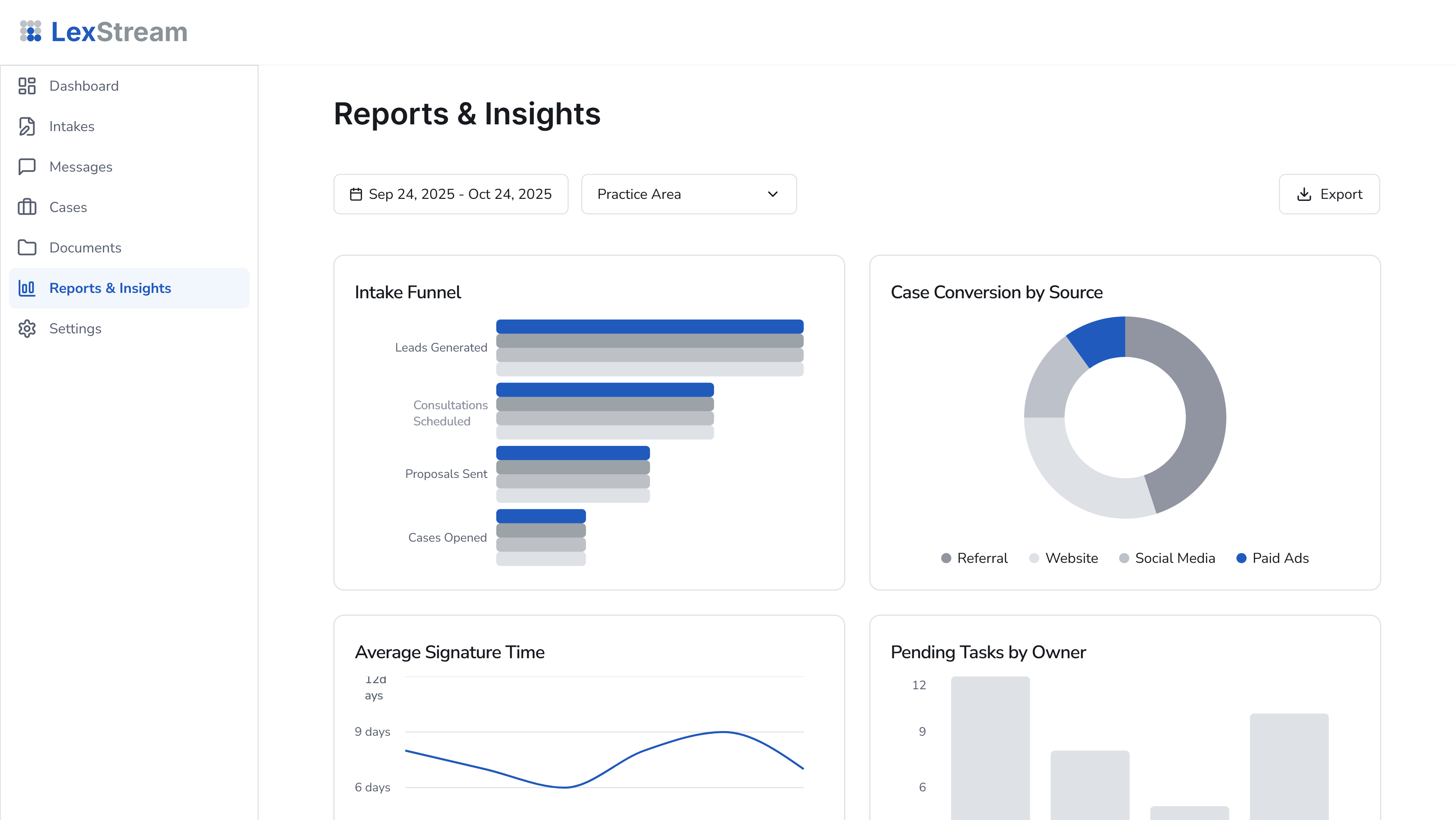
Reports & Insights:Interactive charts visualize case conversion rates, average signature times, and pending workload by owner or practice area.
Each screen has been crafted to balance function and calm, no clutter, no noise, just clarity.
The solution directly addresses the day-to-day challenges that law firms across Canada and the United States face when managing growing client volumes and compliance requirements.
Traditional client intake still depends on phone calls, PDFs, and manual data entry that clients often forget to complete. Our guided online intake form captures client information instantly and routes it to the correct staff member, improving response time and eliminating unnecessary back-and-forth emails. This modern case intake automation system ensures that no lead slips through the cracks.
Firms handle hundreds of drafts, affidavits, and signed agreements every week. Our centralized document management system keeps everything tagged, searchable, and linked to the right case file, making it easy for legal teams to locate, share, and track documents securely from one dashboard.
Creating legal documents manually wastes valuable time and increases the risk of human error. Built-in document automation tools for law firms automatically populate templates with case data, saving hours of drafting and ensuring consistent formatting and compliance across all cases.
Paper signatures and scanned contracts slow down client onboarding. The integrated e-signature system allows clients to sign directly from their browser or mobile device, with real-time confirmation and automatic document storage inside the case file. The result is faster turnaround, better record-keeping, and a smoother client experience.
Without analytics, partners and firm managers often struggle to see where time, productivity, and revenue are going. The Reports & Insights dashboard turns raw data into actionable information by visualizing case volume, client sources, conversion rates, and turnaround times in real time.
Data privacy, security, and regional compliance are critical for firms operating in both countries. The platform is structured to support PIPEDA compliance for Canadian firms, data encryption, and secure hosting options for both Canadian and U.S. law practices.
We also understand that not every firm has dedicated IT support. That’s why we design for simplicity, from onboarding to daily use, ensuring that legal teams can adopt the system without disruption or complex training.
Whether your firm operates in Toronto, Vancouver, New York, Chicago, Los Angeles, or Halifax, this modern framework helps bridge the gap between traditional legal workflows and the digital expectations of today’s clients. Read more on Why Law Firms Need Automation.
This platform model is ideal for:
Whether you handle personal injury, immigration, corporate, or family law, this flexible legal case management framework adapts to your specific workflows, without locking you into a rigid one-size-fits-all product.
Our legal automation solutions integrate seamlessly with the tools many firms already use, including Microsoft 365, Google Workspace, Clio, and Lawmatics. From CRM synchronization to automated notifications, the system expands naturally around your firm’s existing workflows.
Automation modules can also handle:
This project showcases our expertise in developing scalable legal software solutions that combine thoughtful design, data security, and intelligent automation. It isn’t a pre-built product, it’s a customizable framework that DigiBenders can adapt and deploy for law firms across Canada and the U.S. seeking a modern legal case management system.
We continue to design and refine solutions that help lawyers spend less time managing paperwork and more time practicing law, delivering the next generation of legal automation for North American law firms. Contact us today to discuss how we can build a custom case management automation platform tailored to your firm’s workflow and growth goals.